WhatsApp Workflows + Scraper + Kanban

Your Command Center for Automated B2B Sales

Scrape leads from Google Maps, qualify them with AI, and trigger automated strategies (Wait & Reply) via WhatsApp & Email.
Manage everything visually from an integrated Kanban Board.

*Requires Windows 10/11 (64-bit). Local AI (Ollama) optional but recommended.
Llama 3.2
Local AI Engine
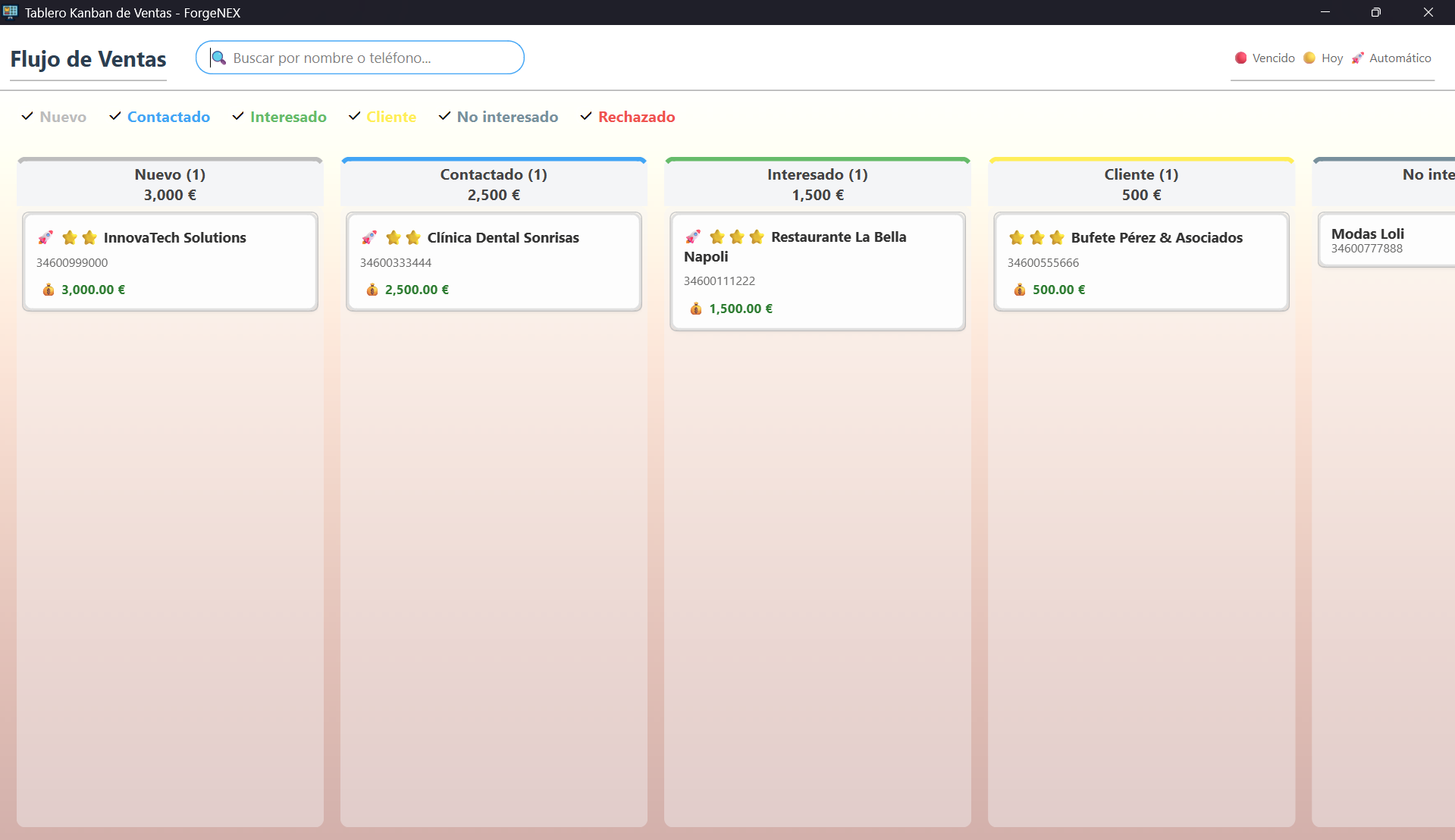
Kanban
Visual Management
Anti-Spam
Staggered Sending
Export
Excel / PerfexCRM

Download NEXGestión v...

Compatible with Windows 10 & 11 (64-bit)

Desktop Installer

No complex server installations required

Get It Now

Latest updates:

  • Loading notes...

Your New Daily Routine

How NEXGestión helps you sell more

Forget copying and pasting phone numbers into Excel. This is the optimized workflow:

1

10:00 AM - Fill your database

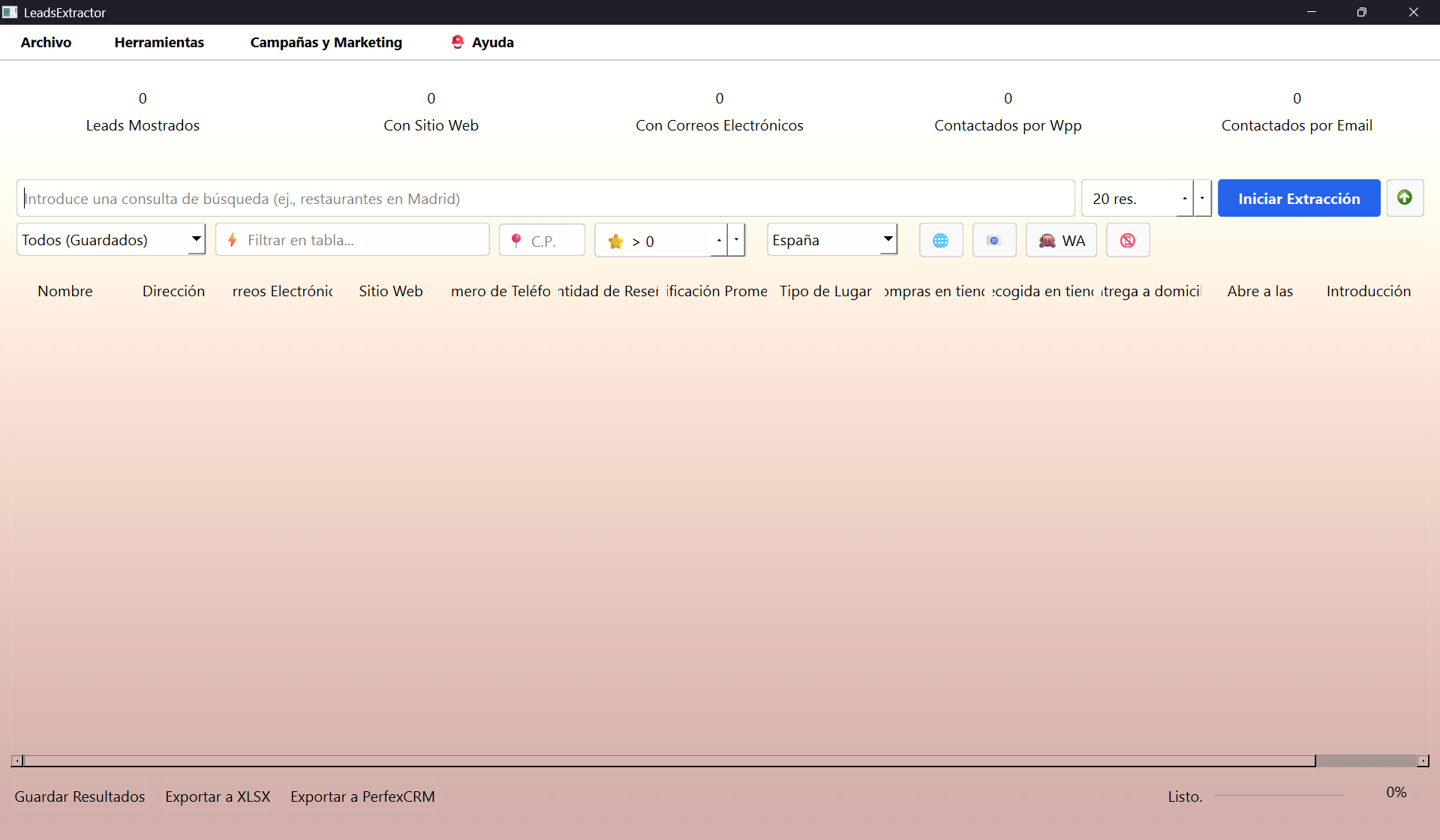
While sipping coffee, you open the Extractor. Search for "Real Estate in London". The software scans Google Maps and brings you hundreds of leads with phone, web, and reviews.

  • Filter only those with mobile numbers.
  • Discard those already in the CRM.

"It used to take hours to list 50 numbers. Now I take 2 minutes to get 500 qualified leads."

2

11:00 AM - AI works for you

Configure a Strategy (Workflow). Select the top 100 leads and activate auto-pilot.

Workflow "Cold Outreach":

Action Send personalized WhatsApp (AI).
Wait Wait 24 hours.
Action If no reply, send Follow-up Email.

"The system sends messages one by one, with human-like pauses to avoid bans, while I focus on other tasks."

3

04:00 PM - Manage Leads

Back to PC. You have 5 positive replies. Move them in your Kanban Board from "Contacted" to "Interested".

Use the integrated Product Catalog to send a PDF tech sheet or service image directly to the chat in one click.

"I have visual control of how much money is in my pipeline. No potential client gets forgotten."

Full Flow

More than a scraper, a sales system

1. Scraper & Filter

Local searches (e.g., "Restaurants NY"). Filter if they have web, email, or active WhatsApp before saving.

2. AI Analysis

AI analyzes the "Opportunity" (Insurance, Marketing, Solar, etc.) based on public business data.

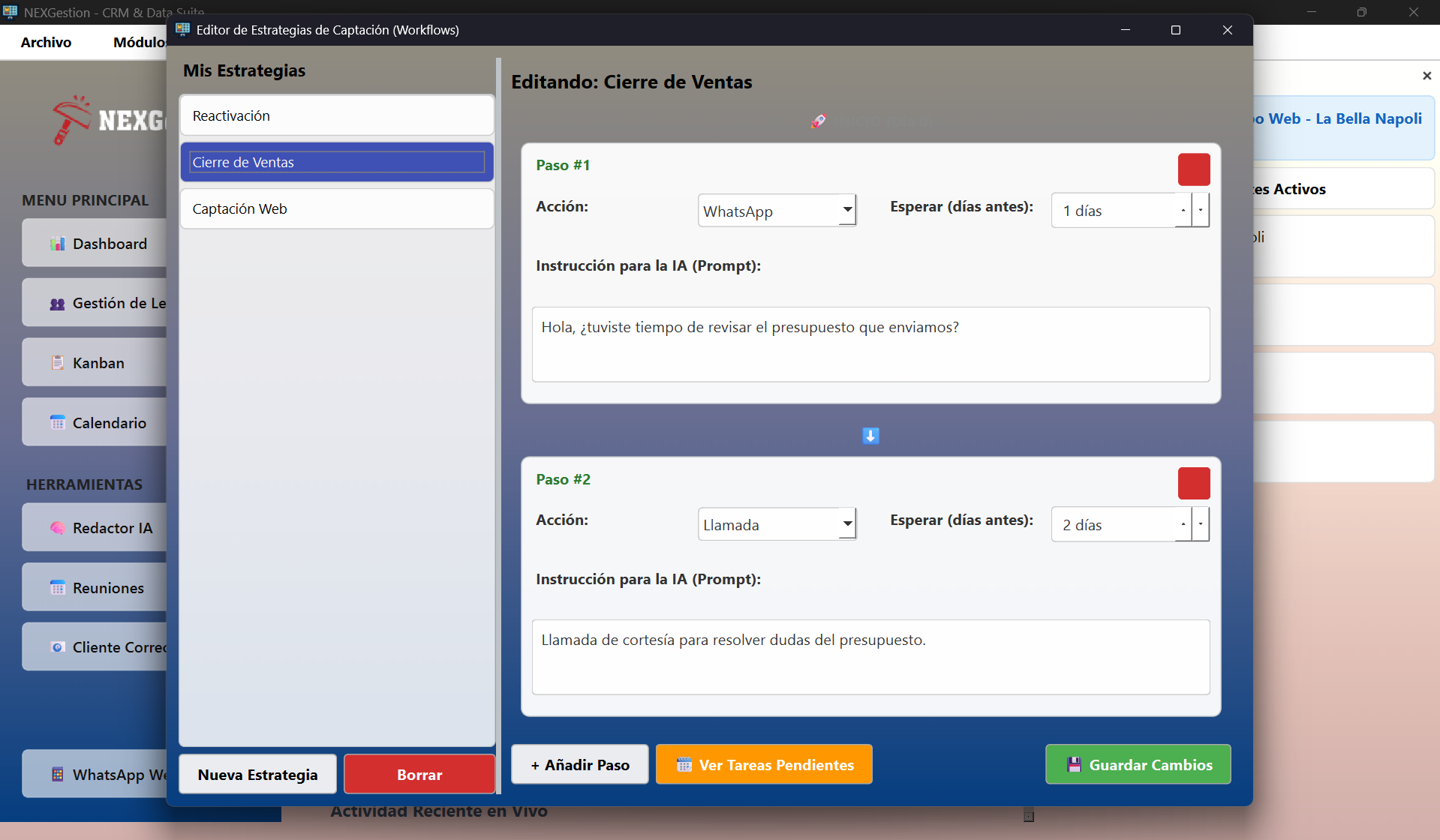
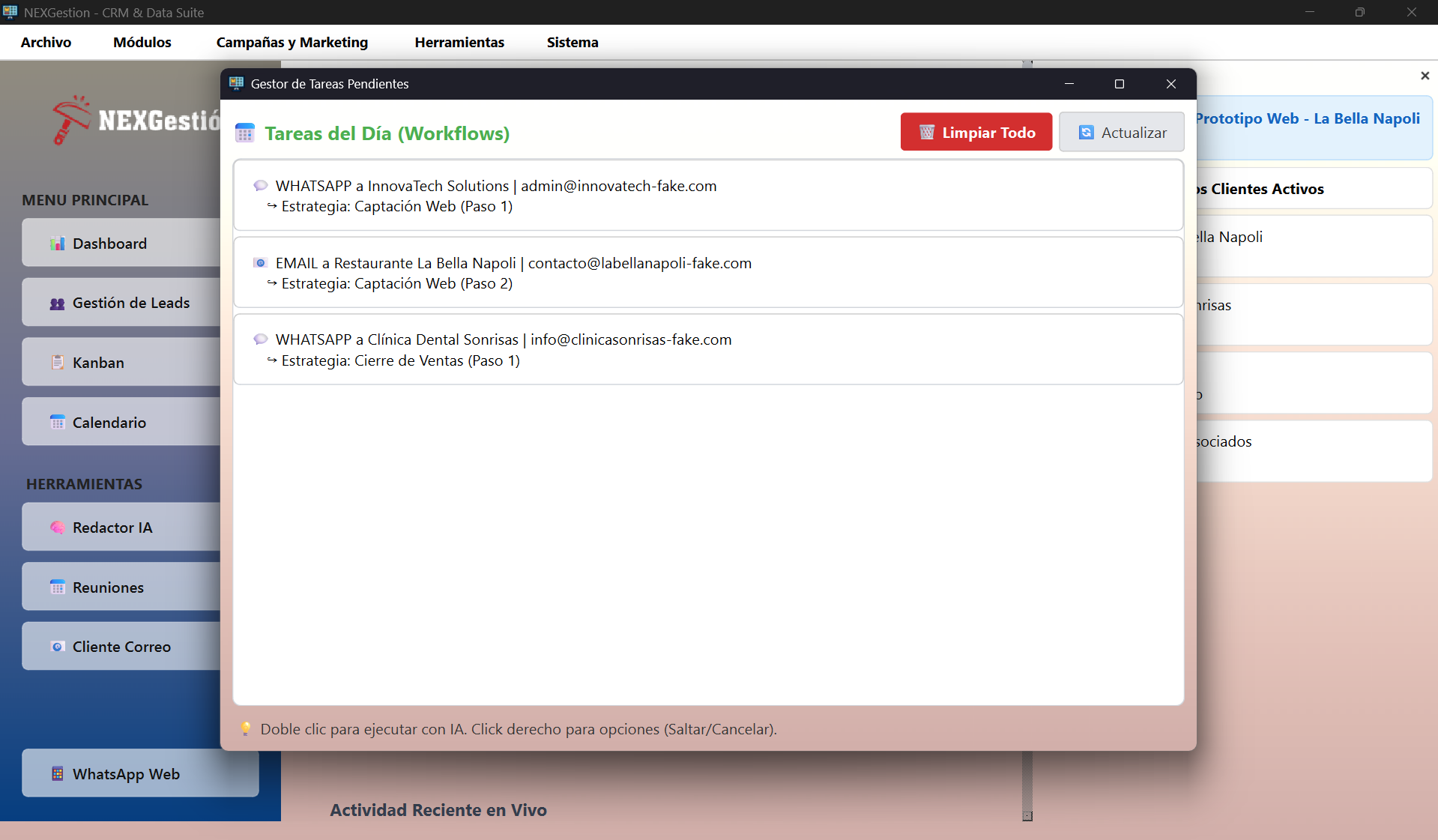
3. Strategies (Workflows)

Create sequences: "Send WhatsApp" > "Wait 2 days" > "Send Email". Fully automated.

4. Close in Kanban

Move leads visually: "Contacted" -> "Interested" -> "Client". Control the total value of your pipeline.

Included Tools

Everything you need to manage customer relationships from scratch.

Mass WhatsApp Campaigns

Staggered sending with pauses (anti-ban). Upload CSVs and use AI to personalize every message on the fly.

Product Catalog

Create product cards with photos and AI-enhanced descriptions to send quickly to customers.

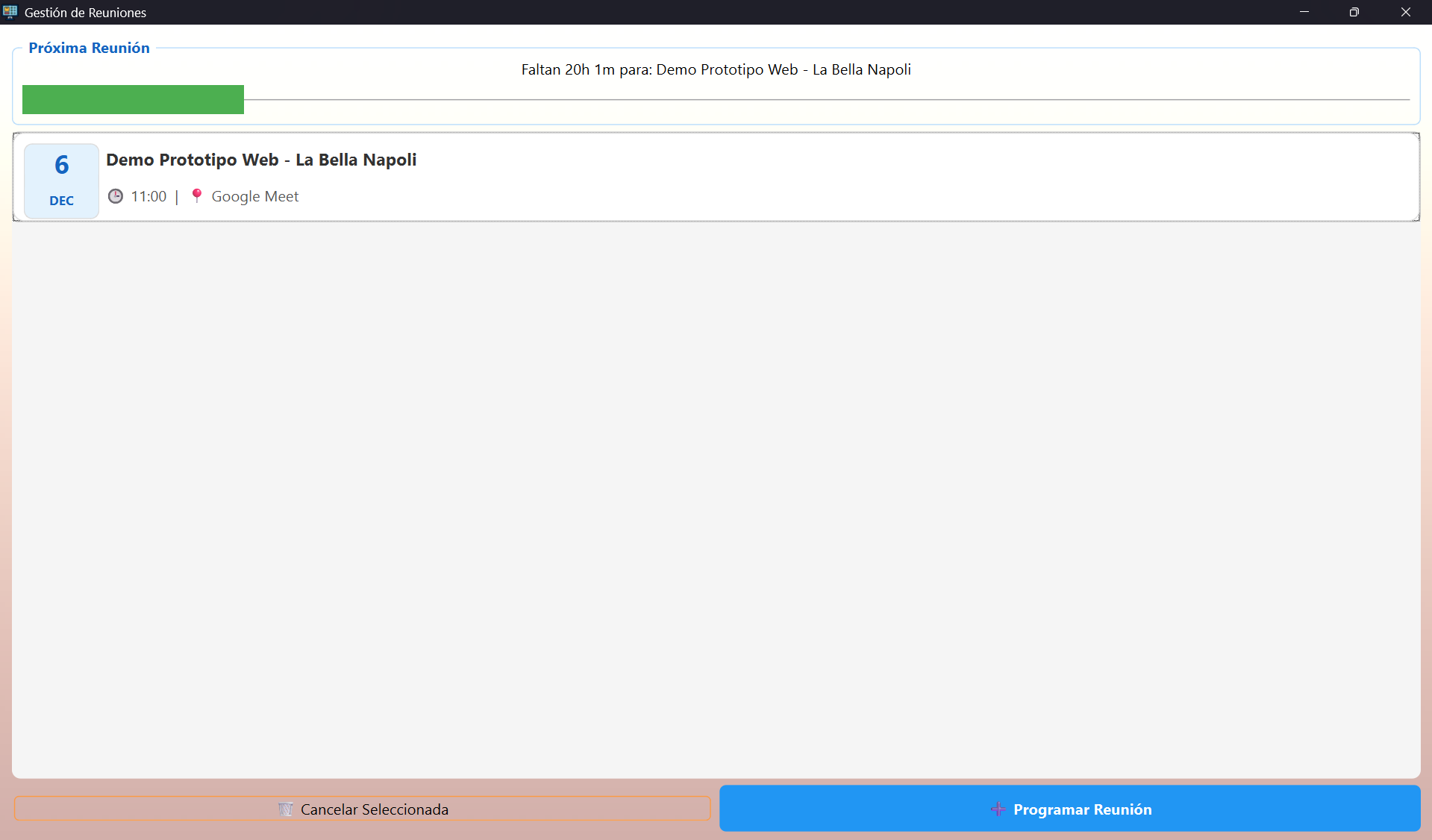
Meeting Management

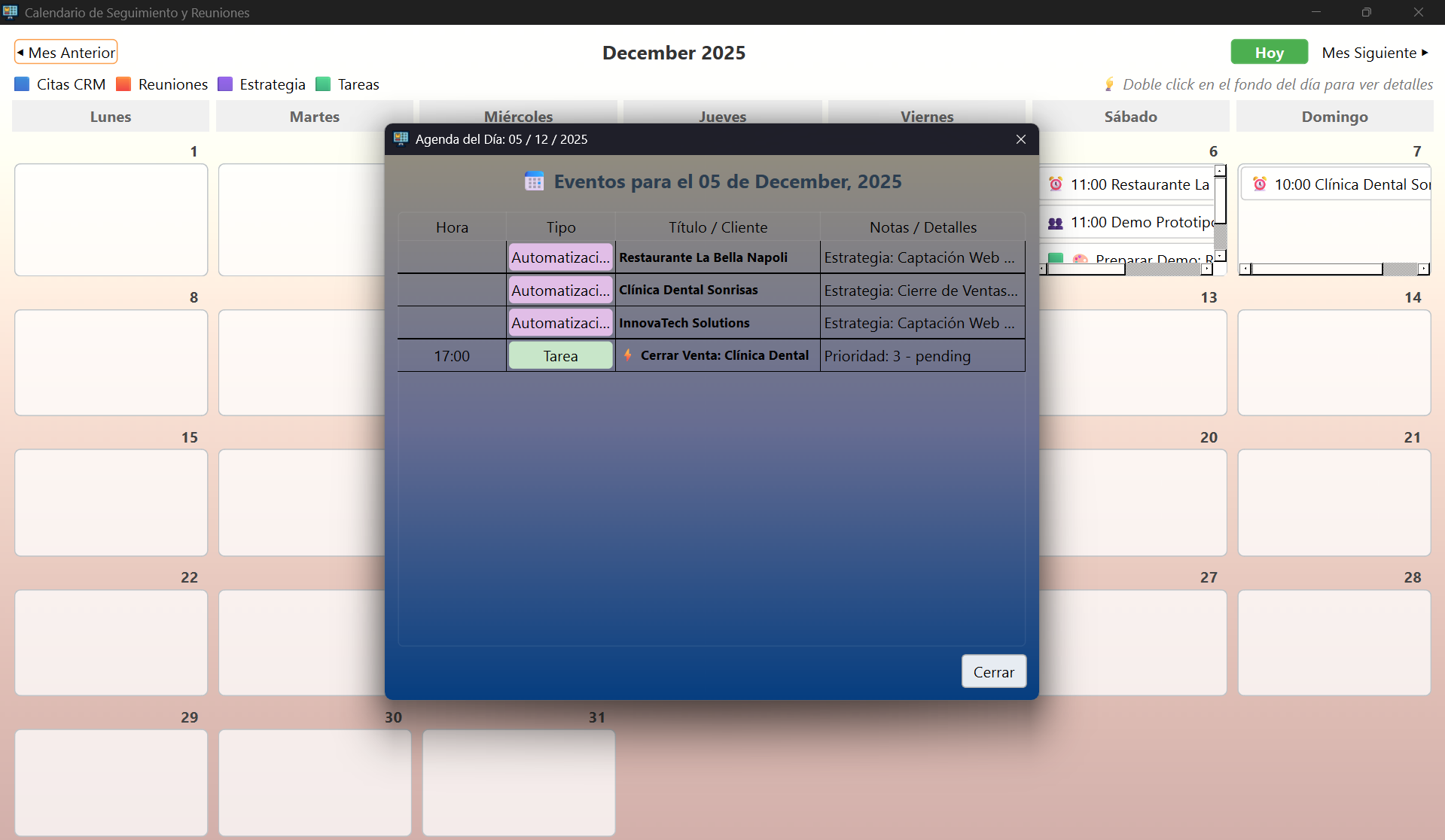
Integrated calendar with Google Meet. Visualize your appointments and automated strategy steps.

AI Assisted Writer

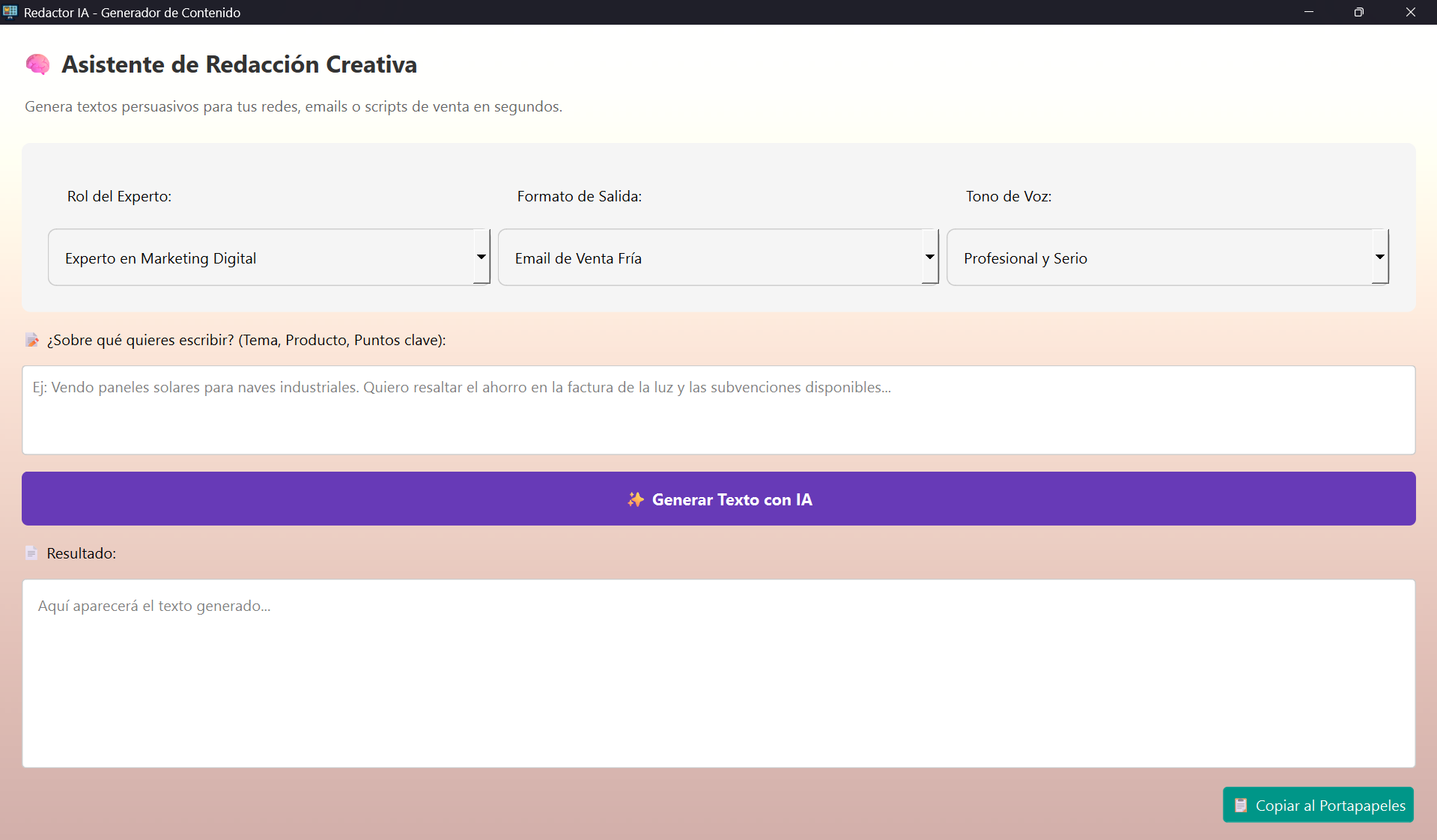
Generator for persuasive texts for cold emails, sales scripts, or posts, integrated into the app.

Email Manager

Internal email client. Reply to emails using AI and link conversations to Kanban status.

Flexible Import/Export

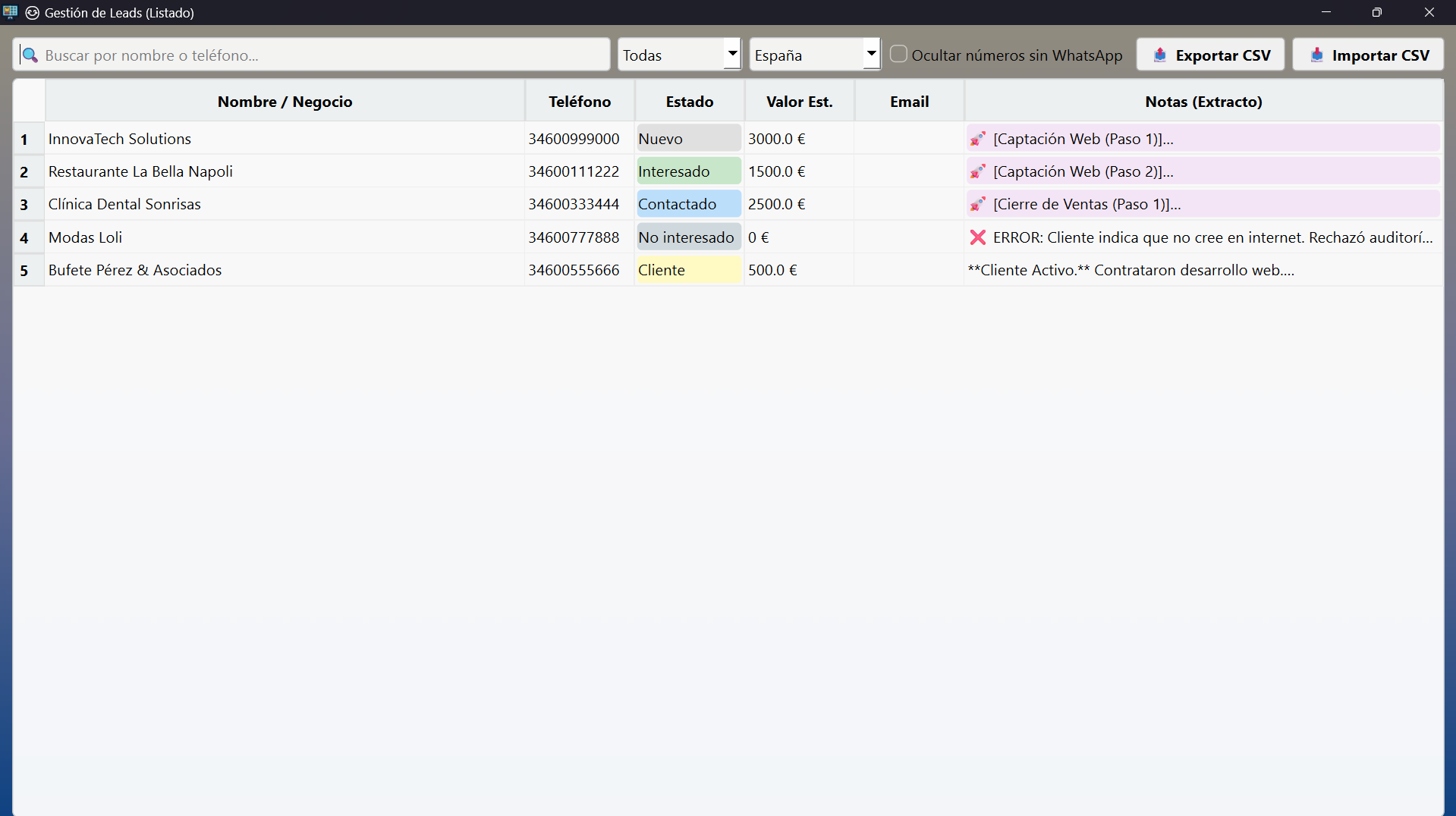
Your data is yours. Import external CSVs or export your filtered leads to Excel or PerfexCRM.

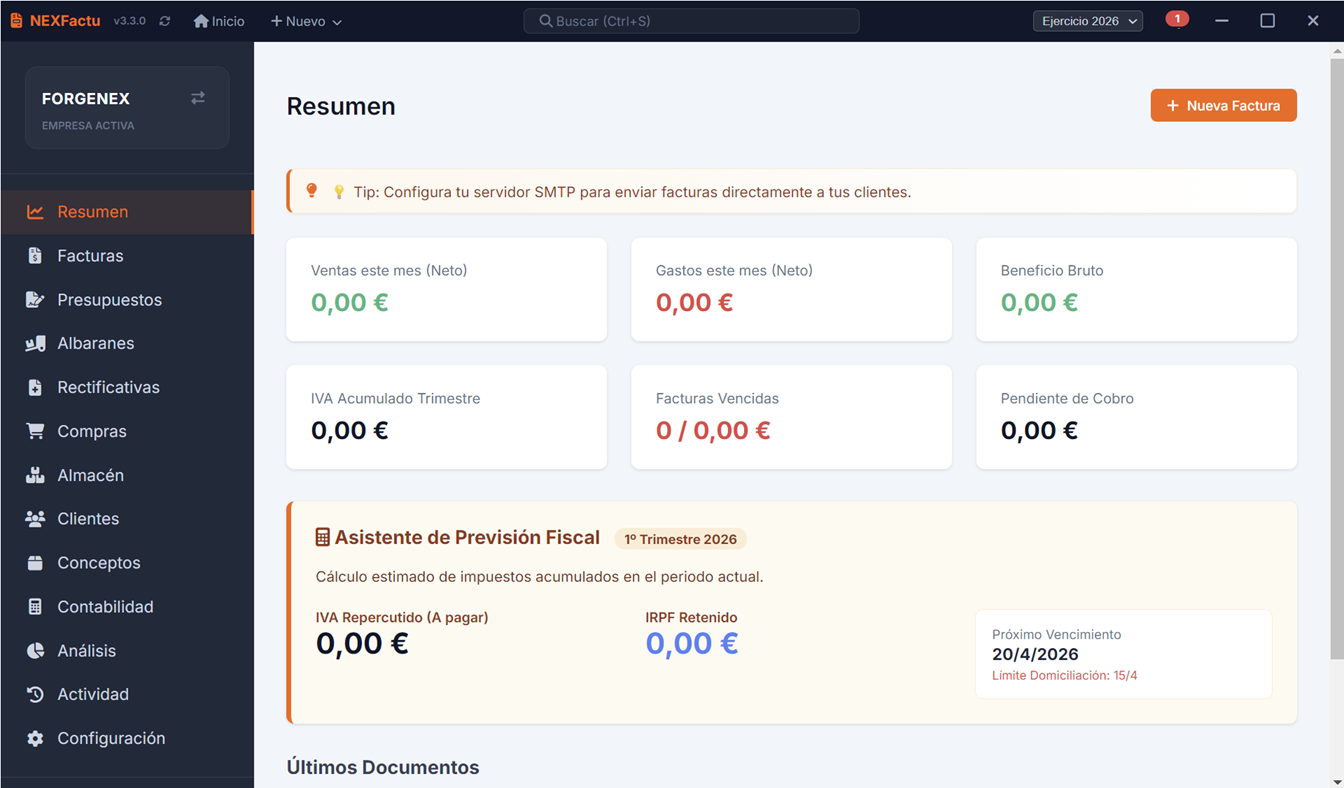
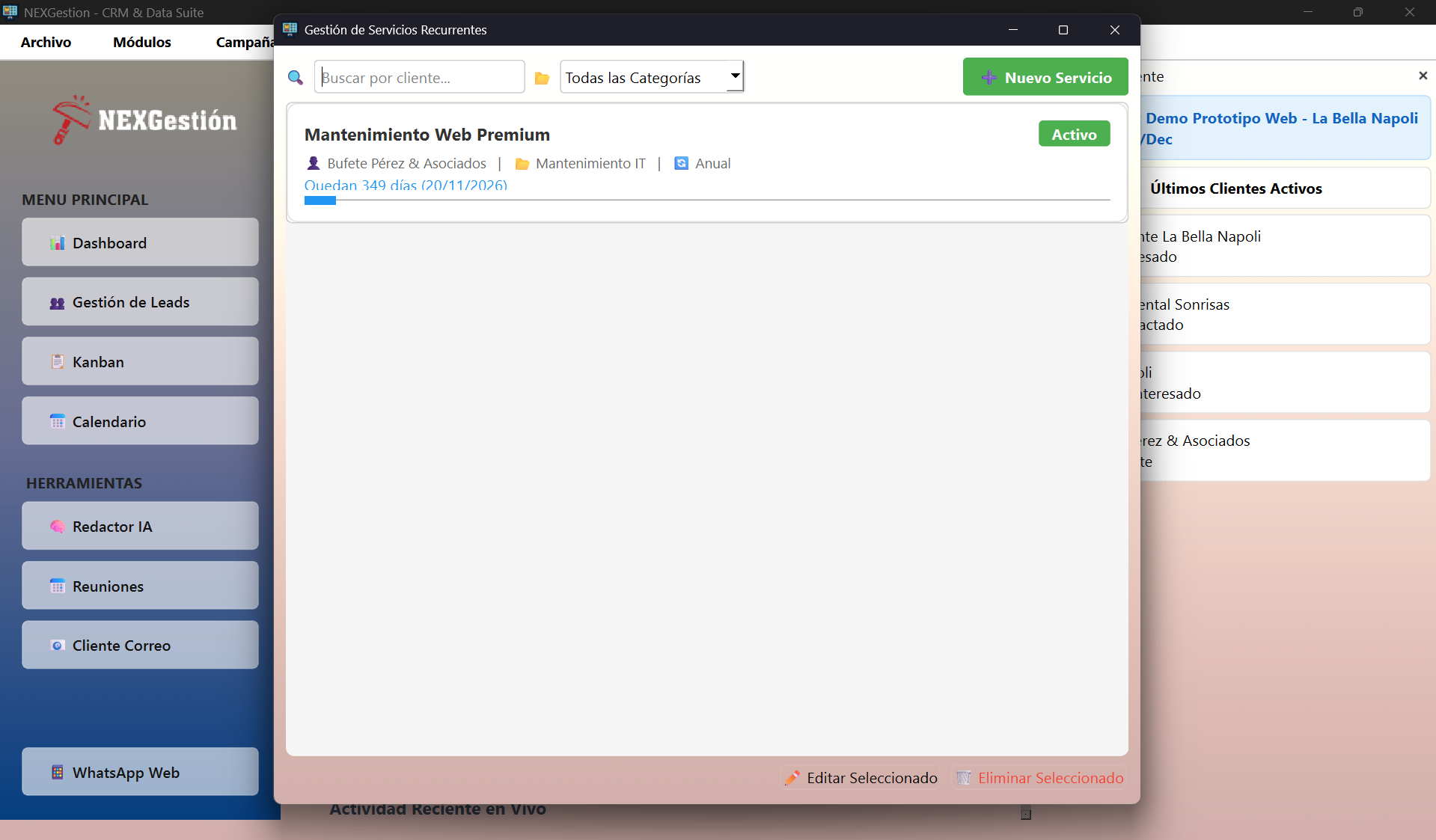
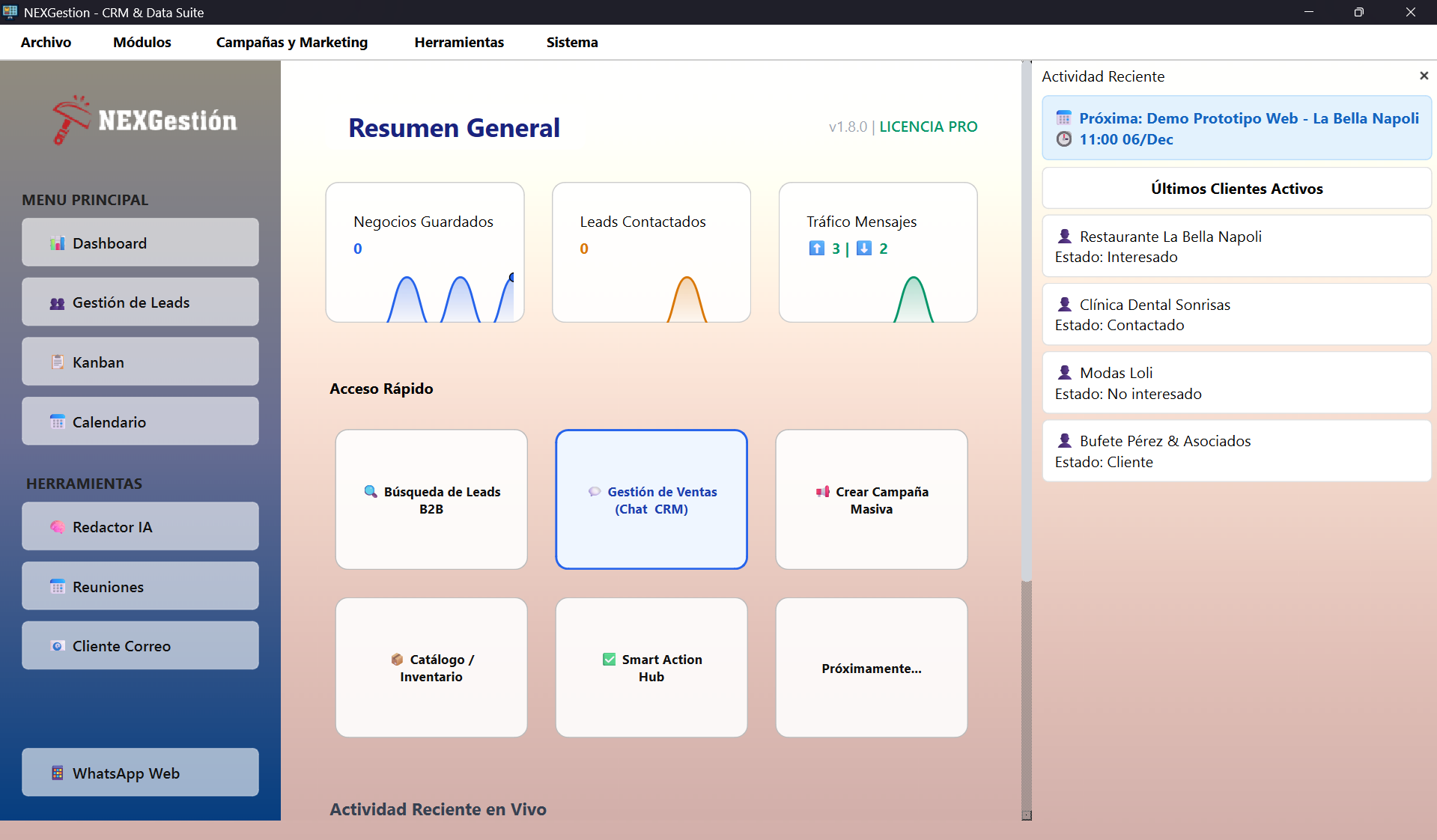
Program Interface

Real screenshots of the latest version. Click image to enlarge.

Swipe to see more

Pre-loaded AI Analyzers

Software includes "Expert Prompts" to detect opportunities in these sectors:

Digital Marketing

Detect businesses with bad reviews, no website, or abandoned social media.

Insurance

Identify high-risk businesses or new openings needing policies.

Renewable Energy

Filter industrial warehouses or large surfaces suitable for solar installation.

Agency / B2B Services

Locate SMBs that may need fiscal or labor services.

Professional Cleaning

Find offices, clinics, or communities requiring maintenance.

Security Systems

Ideal for selling alarms and CCTV to jewelry stores, shops, or street-level businesses.

Total Local Privacy.
No Cloud. No API Costs.

SQLite / Local DB

All customer info resides on your hard drive (program folder). GDPR compliant as data isn't uploaded to third parties.

AI via Ollama / Llama

We use your GPU power to run local AI models. Unlimited and free analysis and writing.

> NEXSystem.init()
[OK] Database: Local SQLite3 Connected
[OK] AI Engine: Ollama (Llama 3.2 3B) Detected
[OK] GPU Acceleration: Enabled
[INFO] Cloud Sync: DISABLED (Privacy Mode)

Clear Pricing

Professional tool, immediate return.

Monthly Plan

Cancel anytime

25€ /month
  • Unlimited Maps Searches
  • WhatsApp + Email Automation
  • Kanban & Full CRM
Best Value

Annual Plan

2 Months Free + VIP Support

250€ /year
  • All PRO Features
  • Remote AI Setup
  • Priority WhatsApp Support

Frequently Asked Questions

Can my WhatsApp get banned for using this?

NEXGestión does not use the official API (which is expensive), but browser automation. To minimize risks, we include security settings: random delays between messages (e.g., wait 20 to 60 seconds) and long pauses every X sends. However, we always recommend using a secondary number or warming up the account before mass sending.

Do I need to pay for OpenAI or external APIs?

No. The software is designed to connect with **Ollama**, allowing you to run AI models (like Llama 3 or Mistral) on your own computer completely free. You only need a decent graphics card (NVIDIA recommended) or a modern processor.

Is my data in the cloud?

Absolutely not. NEXGestión creates a local database (SQLite) in the installation folder. Your customer info never leaves your device unless you email it or export it.

Does it work on Mac or Linux?

Currently, it is a native application for Windows 10 and 11 (64-bit). We are evaluating versions for other operating systems in the future.

Let's talk business

Contact ForgeNEX

Questions about Ollama installation or PRO license? We are here.